Mobile Editing Club – Branded AI Guide
Branded AI Guide
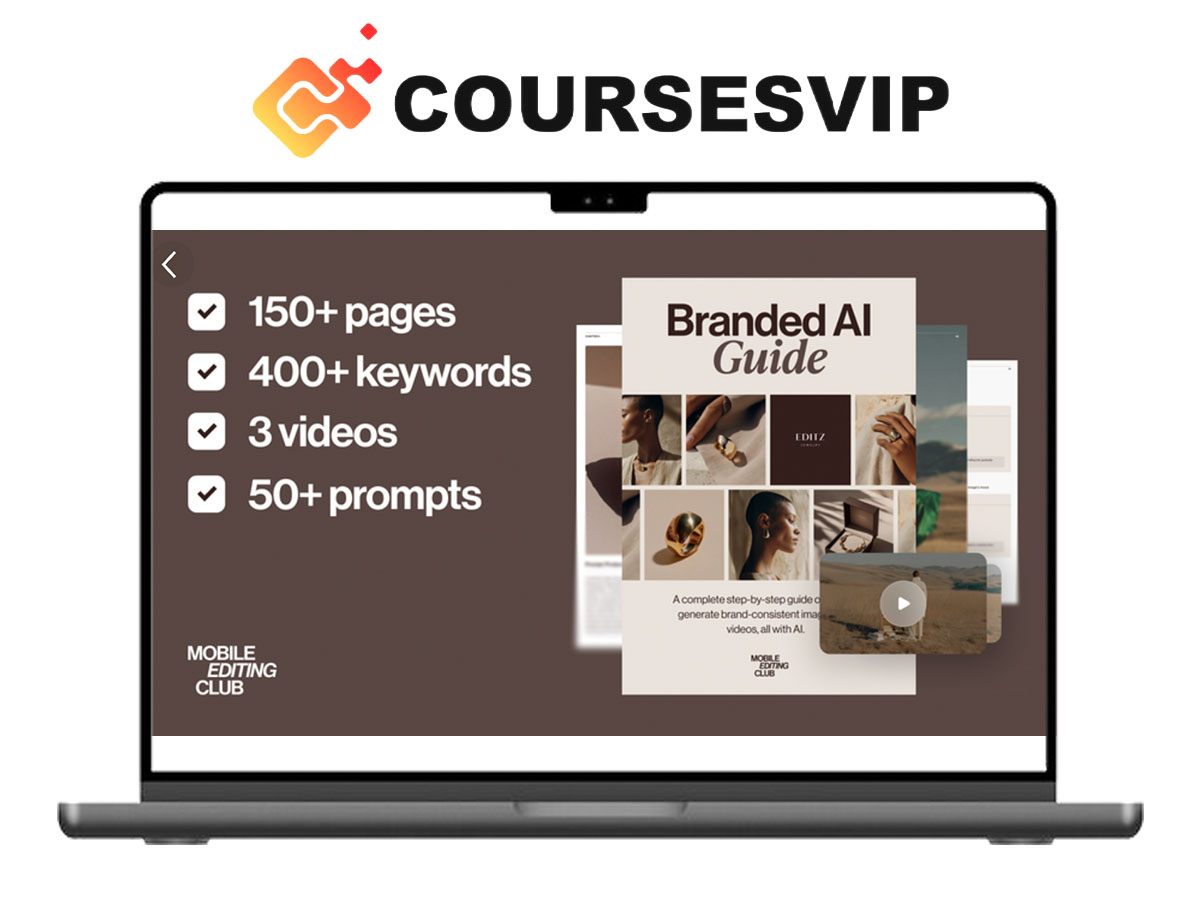
Branded AI Guide by Mobile Editing Club

Mobile Editing Club – Branded AI Guide Course
Mobile Editing Club – Branded AI Guide is a practical, mobile-first system designed to help creators use AI-powered editing workflows to produce consistent, professional visuals faster and with less effort.
Instead of manually editing every image one by one, this guide shows you how to apply branded styles at scale using AI tools, automate repetitive editing tasks, and maintain a cohesive visual identity across all your content. Everything is optimized for creators working directly from their phone or tablet.
Whether you’re managing a personal brand, social media accounts, or client projects, this guide gives you a clear system to edit smarter, not harder.
What’s Included
Inside this guide, you’ll get a complete AI editing workflow:
- Step-by-step mobile-first AI editing system
- Batch editing frameworks for consistent visuals
- AI tools and workflows optimized for mobile devices
- Brand consistency systems for social media content
- Time-saving automation techniques
- Practical examples and real-world use cases
Branded AI Guide – What You’ll Learn
AI-Powered Batch Editing
Learn how to apply the same style, color grading, and visual identity across multiple images instantly without manual repetition.
Brand Consistency at Scale
Create a recognizable brand look using AI workflows that ensure every piece of content stays visually aligned.
Faster Mobile Editing Workflows
Edit directly from your phone or tablet using optimized tools and systems that reduce editing time significantly.
Smart Automation Systems
Replace repetitive manual edits with automated AI processes that streamline your workflow.
Professional Visual Output
Produce clean, high-quality visuals that look polished and ready for clients or social media platforms.
What You Will Learn
- How to use AI for mobile photo and content editing
- How to batch edit images efficiently
- How to maintain consistent branding across content
- How to automate repetitive editing tasks
- How to create professional visuals without desktop software
Why This Guide Is Different
- Designed specifically for mobile creators
- Focuses on AI automation + real workflows
- Helps you save time while improving quality
- No complex software or desktop setup required
- Built for high-volume content creators
Who This Guide Is For
- Content creators editing on mobile
- Social media managers
- Influencers and personal brands
- Freelancers working with visual content
- Anyone producing large amounts of images
Branded AI Guide FAQ
Q: Is this guide beginner-friendly?
Yes, the guide is designed to be simple and practical, making it suitable for beginners and experienced creators.
Q: Do I need advanced editing skills?
No, the guide focuses on AI tools that simplify the editing process, so advanced skills are not required.
Q: Can I use this on my phone only?
Yes, the entire workflow is optimized for mobile devices like smartphones and tablets.
Q: Does it work for social media content?
Yes, it’s specifically designed for creating consistent content for platforms like Instagram, TikTok, and more.
Q: Will this save time compared to manual editing?
Yes, the main goal of the guide is to reduce editing time using automation and batch processing.
Conclusion
Mobile Editing Club – Branded AI Guide is a powerful resource for creators who want to scale their content production without sacrificing quality. By combining AI automation with mobile workflows, you have the tools to create faster, stay consistent, and produce professional visuals every time.
If you want to improve your editing speed and build a strong visual identity, this guide provides the system.
Enroll Branded AI Guide BY Mobile Editing Club and upgrade your mobile editing workflow with AI.